
Download Talkit – AI‑Powered Immersive Language Learning Tool
Overview
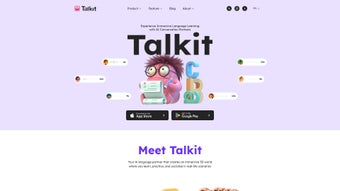
Talkit is an innovative AI language learning tool that transforms the traditional study routine into an engaging, 3‑dimensional experience. Built as a web‑based application, Talkit leverages cutting‑edge generative AI to recreate real‑life scenarios—cafés, airports, office meetings, and street markets—where learners can practice authentic spoken expressions in a risk‑free environment. Unlike textbook‑driven programs that focus on isolated vocabulary lists, Talkit immerses users in contextual conversations, prompting them to react, ask questions, and receive instant feedback from a virtual AI partner.
This approach accelerates the acquisition of practical communication skills, helping learners move from passive recognition to active fluency faster than conventional apps.
One of Talkit’s standout qualities is its adaptive learning engine. As users progress, the AI monitors pronunciation accuracy, response time, and comprehension, then automatically adjusts difficulty levels, introduces new idioms, or revisits problematic structures.
The platform also records each session, offering a detailed progress dashboard that visualizes strengths, weaknesses, and suggested next steps. Whether you are a beginner seeking basic greetings or an intermediate speaker aiming to master industry‑specific jargon, Talkit tailors the journey to your personal goals.
Security and privacy are baked into the design.
All data exchanges are encrypted with TLS 1.3, and the platform complies with GDPR standards, ensuring that personal information and voice recordings are stored safely and can be deleted on demand. Talkit is free to download and use, with optional premium upgrades that unlock advanced analytics, offline mode, and exclusive scenario packs. In short, Talkit blends AI, gamification, and immersive 3D graphics to create a language‑learning partner that feels both personal and powerful.
From a pedagogical perspective, Talkit follows the communicative approach, emphasizing real‑world usage over rote memorization. The AI simulates natural turn‑taking, back‑channeling, and contextual cues that mirror how native speakers interact. This makes the learning curve steeper but also more rewarding, as learners receive immediate correction on pronunciation, intonation, and lexical choice.
For corporate training, Talkit can be configured with industry‑specific vocabularies, allowing employees to rehearse client calls, presentations, or negotiations in a safe virtual space. For hobbyists, the platform offers cultural mini‑games that embed language within local customs, festivals, and everyday routines, turning study sessions into mini‑adventures.
Core Features & Benefits
- AI‑Generated 3D Scenarios: Over 50 real‑world environments that simulate everyday conversations, from ordering coffee to negotiating contracts.
- Personalized Adaptive Engine: Real‑time analysis of speech, grammar, and speed to automatically adjust lesson difficulty.
- Instant Voice Feedback: AI evaluates pronunciation and provides corrective tips on the spot.
- Progress Dashboard: Visual charts track vocabulary growth, fluency metrics, and session history.
- Multilingual Support: Currently supports English, Spanish, French, German, Mandarin, and Japanese, with new languages added quarterly.
- Cross‑Platform Web App: Runs on any modern browser, eliminating the need for heavy downloads.
- Secure Data Handling: End‑to‑end encryption and GDPR‑compliant storage protect user privacy.
- Gamified Rewards: Earn badges, points, and unlock new worlds as you master each skill level.
- Offline Mode (Premium): Download scenario packs to practice without an internet connection.
- Community Interaction: Join live virtual rooms to practice with other learners under AI moderation.
Each of these features works together to create a cohesive learning ecosystem. The 3D environments are not static backdrops; they are interactive stages where the AI avatar reacts dynamically to user input, ensuring that every conversation feels genuine. Adaptive learning means that no two sessions are identical; the system remembers your errors and reinforces them until mastery is achieved.
Meanwhile, the progress dashboard provides tangible evidence of improvement, motivating learners to set and achieve weekly milestones.
The multilingual support and community rooms expand Talkit’s reach, allowing learners to switch languages on the fly or collaborate with peers worldwide. For educators, the analytics module (available in the premium tier) offers a powerful tool to monitor class performance and assign targeted exercises.
The gamified reward system, with its badge hierarchy and point economy, introduces a subtle competitive element that keeps engagement high without feeling forced.
In addition, Talkit’s AI engine is built on transformer models fine‑tuned for conversational fluency, which means it can understand nuanced phrasing, idiomatic expressions, and even regional slang. This depth of understanding enables the platform to provide context‑aware corrections rather than generic rule‑based feedback.
As a result, learners receive suggestions that feel natural and immediately applicable, accelerating the internalization of correct speech patterns.
Installation, Usage & Compatibility
Step‑by‑Step Installation
- Visit the official Talkit website at www.talkit.com and click the “Download for Free” button.
- The platform is a web app, so no installer is required. Simply allow the browser to add a shortcut to your desktop or start menu for quick access.
- Sign up with an email address or use single‑sign‑on via Google or Apple ID. Verification is completed within seconds.
- Once logged in, you’ll be greeted by the onboarding wizard, which helps you select your target language, proficiency level, and learning objectives.
- After the wizard, you land on the main dashboard where you can choose a scenario, adjust audio settings, and start speaking.
First‑Time Usage Tips
When you launch Talkit for the first time, it’s advisable to run a quick microphone calibration. The AI will play a short tone and ask you to repeat a phrase; this ensures optimal voice recognition across different hardware. After calibration, explore the “Tutorial World” – a low‑pressure environment designed to familiarize you with navigation controls, avatar interaction, and feedback cues.
Remember to enable “subtitles” if you’re a visual learner; the system can display real‑time transcriptions of both your speech and the AI’s responses.
For the best immersive experience, use headphones or a good pair of earbuds. This reduces background noise and allows the AI’s subtle intonations to be heard clearly.
If you encounter any latency, check your internet connection; Talkit performs best on a stable broadband link (minimum 5 Mbps download/upload). Users on slower connections can switch to “Low‑Graphics Mode” in the settings, which disables advanced lighting and particle effects while preserving core functionality.
Operating System Compatibility
Talkit is a browser‑based solution, meaning it works on any operating system that supports modern web standards. Tested and optimized for:
- Windows 10/11 (Chrome, Edge, Firefox)
- macOS Monterey and later (Safari, Chrome, Firefox)
- Linux distributions with recent Chromium‑based browsers
- iOS 14+ (Safari) – mobile‑optimized UI
- Android 9+ (Chrome) – full‑screen mode
Pros, Cons & Frequently Asked Questions
Pros
- Highly immersive 3D learning environment that mimics real‑world conversations.
- AI adapts in real time to individual progress, ensuring personalized difficulty.
- Free core version with robust features; premium upgrade optional.
- Cross‑platform accessibility—no heavy downloads, works in any modern browser.
- Strong privacy safeguards with end‑to‑end encryption and GDPR compliance.
- Comprehensive progress analytics that keep learners motivated.
- Gamified reward system encourages consistent practice.
- Community rooms foster peer‑to‑peer interaction and cultural exchange.
- Offline scenario packs available for travelers or low‑bandwidth regions.
- Regular content updates introduce new scenarios and vocabulary.
Cons
- Premium features (offline mode, advanced analytics) require a subscription.
- Requires a stable internet connection for optimal real‑time interaction.
- Limited language selection at launch; some niche languages are pending.
- Voice recognition may struggle with heavy regional accents without prior calibration.
- 3D graphics may be demanding on very low‑end devices, though a low‑quality mode is available.
- Some users report occasional latency spikes during peak traffic periods.
- The free tier limits access to premium scenario packs and advanced reporting.
FAQ
Is Talkit completely free to use?
Talkit offers a free tier that includes unlimited access to core scenarios, AI feedback, and progress tracking. Premium subscriptions unlock offline mode, advanced analytics, and exclusive scenario packs, but the free version is fully functional for most learners.
Which browsers are recommended for the best experience?
Google Chrome and Microsoft Edge (Chromium) provide the most stable WebGL performance for Talkit’s 3D graphics. Safari and Firefox are also supported, but some visual effects may render slightly slower on older versions.
Can I use Talkit on my mobile device?
Yes. Talkit is fully responsive and works on iOS and Android browsers. The mobile UI automatically simplifies controls while preserving the immersive audio‑visual experience.
How does Talkit protect my voice recordings?
All voice data is encrypted in transit using TLS 1.3 and stored in GDPR‑compliant servers. Users can delete individual recordings or purge their entire history from the account settings at any time.
Is there a way to track my progress over time?
Absolutely. Talkit’s dashboard visualizes daily practice time, vocabulary acquisition, pronunciation scores, and scenario completion rates. Export options let you download a CSV report for offline analysis.
Can I create custom scenarios for corporate training?
The premium tier includes a Scenario Builder that allows administrators to upload custom scripts, define role‑play objectives, and brand the environment with corporate logos. This feature is ideal for sales simulations, customer‑service drills, and industry‑specific terminology practice.
Conclusion – Should You Download Talkit?
Talkit stands out in the crowded language‑learning market by delivering a genuinely immersive, AI‑driven experience that feels more like a conversation than a lesson. Its adaptive engine, rich 3D environments, and robust privacy practices make it a compelling choice for anyone serious about moving beyond rote memorization to real‑world fluency. Whether you’re a beginner eager to practice everyday phrases or an intermediate speaker aiming to refine pronunciation, Talkit provides a flexible, engaging platform that grows with you.
The free version already packs enough power to make noticeable progress, while the optional premium upgrade offers advanced features for the most dedicated learners. Because it runs entirely in the browser, you can start instantly on Windows, macOS, Linux, iOS, or Android without worrying about storage space or compatibility headaches. The seamless SSO integration also means that enterprises can roll out Talkit to teams without individual credential overhead.
If you’re ready to replace static textbook drills with dynamic, spoken practice that adapts to your personal learning curve, click the button below to download Talkit and begin your journey toward confident, authentic communication. Remember, the first 30 days are completely free, and you can cancel the premium subscription at any time from your account dashboard.
Talkit offers a fresh, immersive approach to language acquisition that feels natural and motivating. The AI adapts quickly, the 3D scenarios are realistic, and the free tier is generous. Minor drawbacks include occasional latency on slower connections and limited language options at launch, but overall it’s a standout tool for serious learners.



.png)



